Seeing a Scripted Interaction vs. Starting a Genuine Conversation
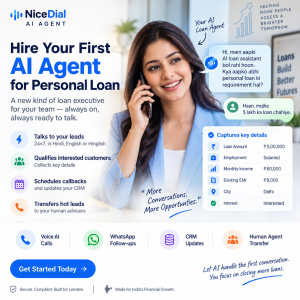
In today’s fast-paced business environment, relying on scripted interactions can lead to missed connections and dissatisfaction among customers. What if your customer engagements could feel more natural and human-like? Enter NiceDial’s AI Agent, designed to facilitate real conversations that adapt to the flow of dialogue rather than sticking to a rigid script.
One-line journey: Social / Ad / QR → NiceDial AI Agent → Conversation → Qualification → Conversion
8 Ways to Leverage NiceDial’s AI Agent for Enhanced Engagement
-
After-Hours Lead Follow-Up
Setup: Many businesses miss out on potential leads after hours. Set up your AI Agent to ensure no lead goes unattended.
Example Copy: “We noticed you reached out! Let’s get your questions answered even after hours!”
Bot Menu Options: 1. Schedule a Call 2. Leave a Message 3. FAQ -
Real-Time Qualification
Setup: Use the AI Agent during inbound calls to qualify leads instantly.
Example Copy: “Hi there! Can I ask a few quick questions to understand your needs better?”
Bot Menu Options: 1. Product Inquiry 2. Service Information 3. Pricing -
Mid-Call Lookups
Setup: Connect your systems for real-time information retrieval.
Example Copy: “I can check your account balance right now! Just a moment…”
Bot Menu Options: 1. Check Balance 2. Update Information 3. Speak to an Agent -
Human Escalation
Setup: When the conversation becomes complex, enable seamless handoffs to human agents.
Example Copy: “It seems this needs a human touch. Let me connect you!”
Bot Menu Options: 1. Connect to an Agent 2. Schedule a Callback 3. End Conversation -
Multi-Language Support
Setup: Cater to diverse customers with a mix of languages.
Example Copy: “We can chat in Hindi or English! Which do you prefer?”
Bot Menu Options: 1. Hindi 2. English 3. Other Languages -
Follow-Up Conversations
Setup: Engage with customers after their initial inquiries to keep the conversation going.
Example Copy: “Thanks for reaching out! How can I assist you further?”
Bot Menu Options: 1. Ask a Question 2. Provide Feedback 3. End Conversation -
Appointment Scheduling
Setup: Allow customers to book appointments through the AI Agent.
Example Copy: “Let’s find a time that works for you!”
Bot Menu Options: 1. View Available Times 2. Book an Appointment 3. Cancel Appointment -
Feedback Collection
Setup: Gather insights from customers regarding their experience.
Example Copy: “We value your opinion! Can you share your feedback?”
Bot Menu Options: 1. Rate Service 2. Leave Comments 3. Speak to an Agent
Bonus Interactive Idea
Consider implementing a keyword reply option where customers can text keywords to initiate specific workflows, enhancing engagement.
AI-Bot vs. Human-Agent Interaction
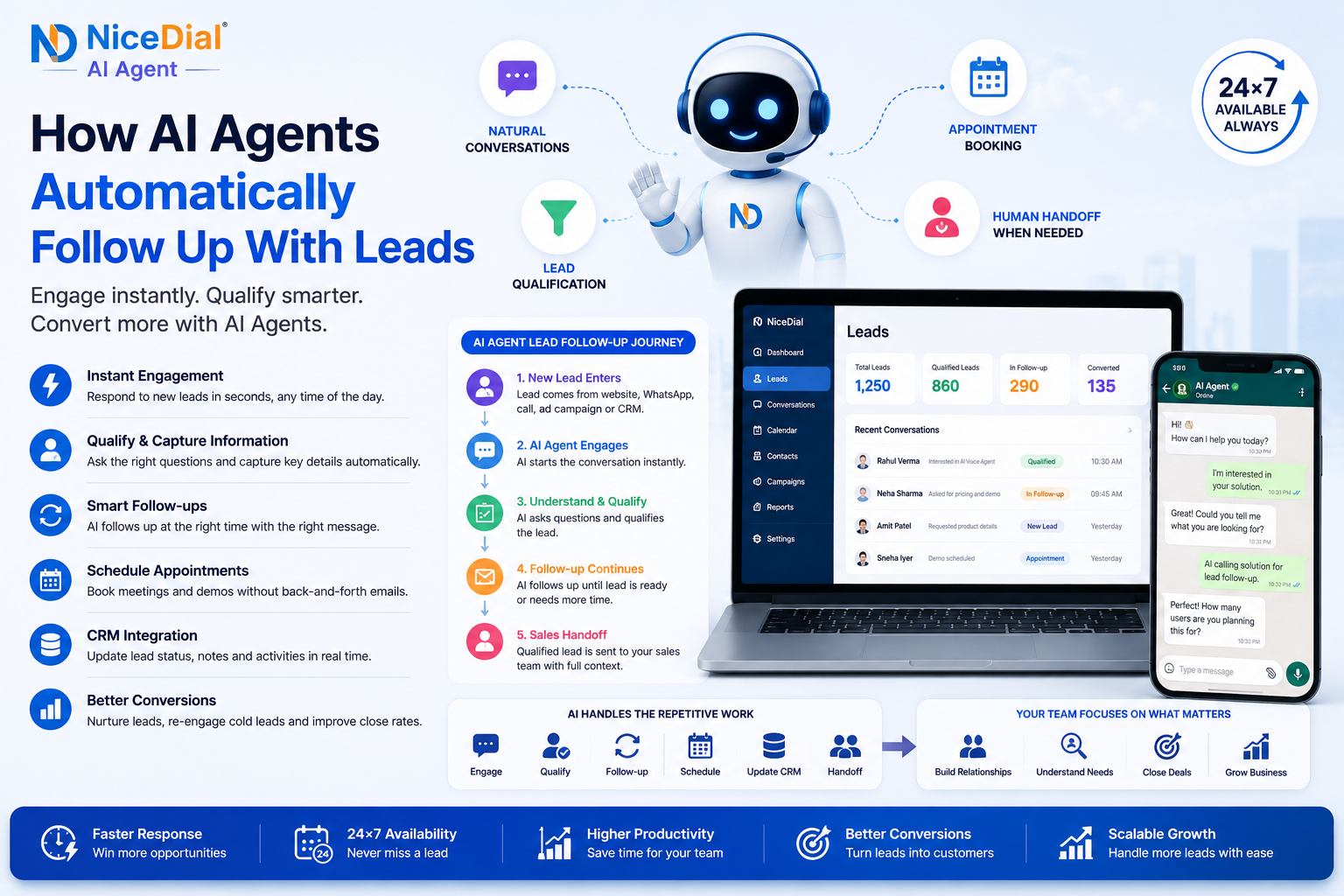
The AI Agent is designed to handle the initial interactions, providing quick responses and gathering necessary information. For more complex inquiries, it can escalate seamlessly to a human agent, ensuring that your customers always receive the best support.
Team Collaboration with Shared Inbox
Utilize NiceDial’s shared inbox feature to allow your team to view and respond to customer interactions, ensuring no lead ever falls through the cracks.
Industry Table
| Industry | Idea | CTA |
|---|---|---|
| Sales Teams | After-Hours Follow-Up | Unlock verified demo |
| Clinics | Appointment Scheduling | Unlock verified demo |
| Contact Centers | Real-Time Qualification | Unlock verified demo |
| Education | Feedback Collection | Unlock verified demo |
Consent and Anti-Spam Section
When utilizing NiceDial AI Agents for outbound messaging, ensure you have explicit consent from your customers before initiating conversations. This not only adheres to regulations but also builds trust with your audience.
Metrics to Track
- Conversations Initiated
- Qualified Leads Generated
- Bookings Made
Unlock the full potential of conversational AI with NiceDial’s AI Agent. For a verified demo, visit here.