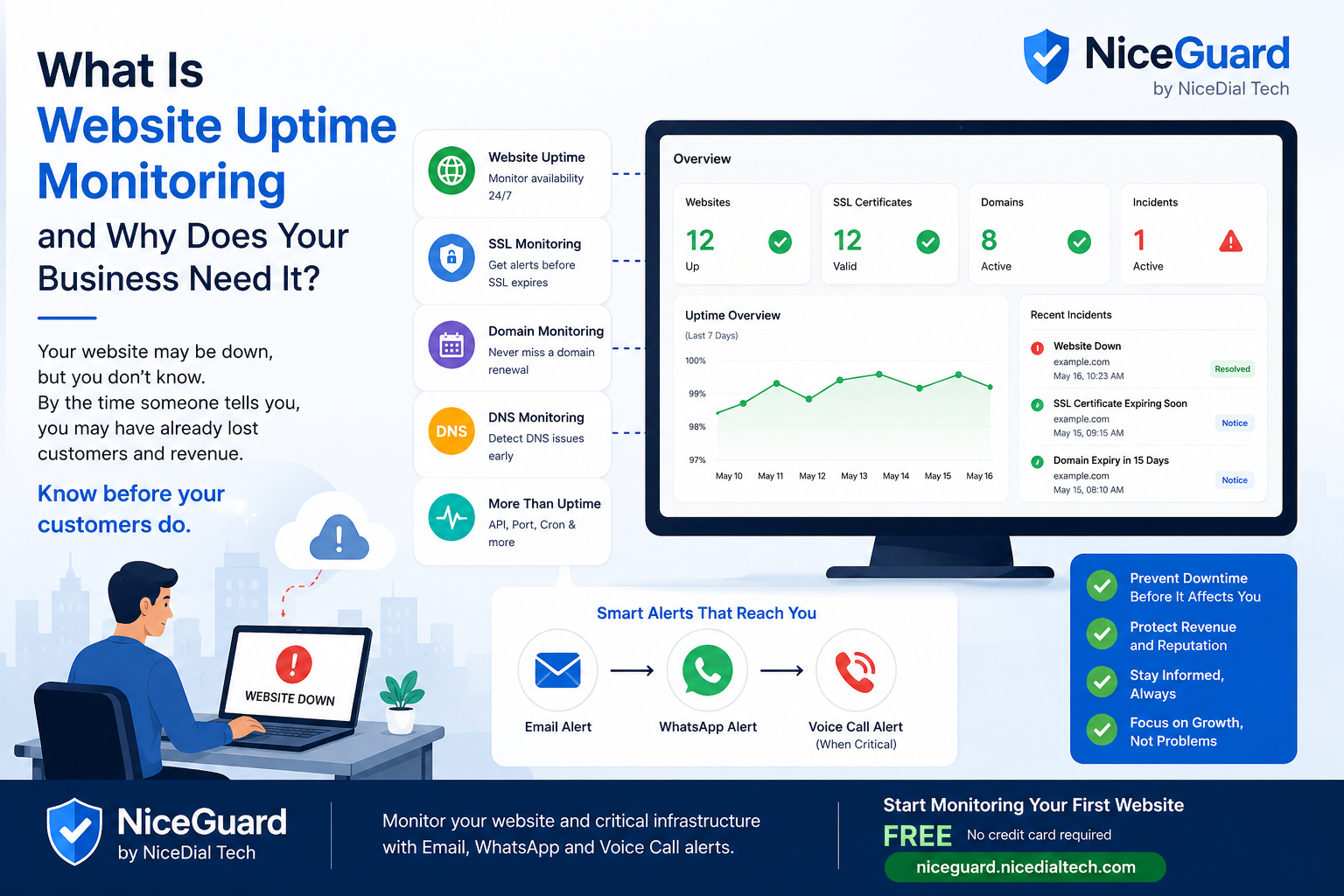
Your website may be available right now—but how do you know it was available 10 minutes ago?
For many businesses, the first indication of website downtime is not a monitoring alert. It is a customer, employee, or friend saying:
“Your website isn’t opening.”
By then, potential customers may already have abandoned forms, payments may have failed, and visitors may have moved to a competitor.
This is exactly why businesses need website uptime monitoring.
What Is Website Uptime Monitoring?
Website uptime monitoring is the process of automatically checking your website at regular intervals to verify that it is online and responding correctly.
Instead of someone manually opening your website throughout the day, a monitoring platform performs these checks automatically.
For example:
10:00 AM    Website UP      HTTP 200
10:05 AM    Website UP      HTTP 200
10:10 AM    Website DOWN    Timeout
10:15 AM    Website DOWN    Timeout
10:20 AM    Website UP      HTTP 200
A good monitoring platform doesn’t just identify downtime. It records the incident, alerts the appropriate people, and detects when the website recovers.
Why Website Uptime Matters
For many businesses, a website is no longer simply an online brochure.
It may be responsible for:
- Generating leads
- Accepting orders
- Processing payments
- Booking appointments
- Handling customer enquiries
- Providing customer portals
- Running SaaS applications
- Connecting customers with support teams
- Providing access to APIs and online services
When the website becomes unavailable, these business processes can also stop.
Even a relatively short outage can mean lost enquiries, interrupted transactions, frustrated customers, and damage to customer confidence.
The Biggest Problem: You May Not Know Your Website Is Down
Imagine your website goes down at 11:30 PM.
Nobody in your team is actively checking it.
The problem remains unnoticed overnight.
The next morning, someone says:
“We haven’t received any website leads since last night.”
Only then does somebody check the website.
This is reactive monitoring.
Website uptime monitoring changes the process:
Website
   ↓
NiceGuard checks availability
   ↓
Website fails
   ↓
Failure confirmed
   ↓
Incident created
   ↓
Alert generated
   ↓
Team investigates
Instead of waiting for customers to report the problem, your team can know much earlier.
What Does an Uptime Monitor Check?
At its simplest, an uptime monitor sends a request to your website and checks whether it receives the expected response.
One common successful response is:
HTTP 200 OK
But website monitoring can provide additional information such as:
Website availability
Is the website responding or unavailable?
HTTP status
Is the server returning the expected response, or something such as:
404 — Not Found
500 — Internal Server Error
502 — Bad Gateway
503 — Service Unavailable
504 — Gateway Timeout
Response time
How quickly is the website responding?
A website can technically be online while becoming unusually slow.
Monitoring response time can help identify such degradation.
Downtime duration
When did the incident start?
When did the website recover?
How long was it unavailable?
Keeping this history makes monitoring much more useful than simply showing an UP/DOWN indicator.
Website Uptime Percentage Explained
You may have seen hosting and monitoring services advertise figures such as:
99% uptime
99.9% uptime
99.99% uptime
Small differences can represent significant amounts of downtime.
Approximately:
| Availability | Potential downtime/year |
|---|---|
| 99% | ~3 days 15 hours |
| 99.9% | ~8 hours 46 minutes |
| 99.99% | ~53 minutes |
| 99.999% | ~5 minutes |
This is why uptime history can be useful when evaluating website and infrastructure reliability.
Monitoring Isn’t Enough If Nobody Sees the Alert
Detecting an outage is only half of the problem.
Imagine your monitoring system detects downtime immediately and sends an email.
But the email arrives among hundreds of other messages.
Nobody notices it for two hours.
Technically, the monitoring system worked.
Operationally, the business still had a problem.
This is one of the reasons we built NiceGuard around multi-channel alerting.
Email → WhatsApp → Voice Call
Different incidents require different levels of attention.
An informational notification may only need an email.
A more urgent event may need WhatsApp.
A critical issue may require something much harder to overlook—a voice call.
NiceGuard is designed around escalation through:
📧 Email → 💬 WhatsApp → 📞 Voice Call
The objective isn’t to bombard users with notifications.
It is to help important alerts reach the right people when action is required.
Website Monitoring Goes Beyond Uptime
A website can be online while still having another serious problem.
Consider SSL certificates.
Your server might be running perfectly, but an expired SSL certificate can cause browsers to show visitors a security warning.
The same applies to domain expiry.
Your website could be healthy today while the domain is approaching its renewal date.
That’s why website monitoring should consider more than whether a server responds.
NiceGuard is designed around monitoring areas such as:
🌐 Website Uptime
Know when your website becomes unavailable and when it recovers.
🔒 SSL Certificate Monitoring
Receive advance warnings when SSL certificates approach expiration.
📅 Domain Expiry Monitoring
Keep track of important domain renewal dates before they become urgent.
🌍 DNS Monitoring
Identify problems affecting the DNS records your website and services depend upon.
⚡ API Monitoring
Monitor critical APIs and identify availability or response problems.
🔌 Port Monitoring
Check whether important network services remain reachable.
⏱️ Cron Monitoring
Detect when an expected scheduled process or heartbeat stops running.
Together, these provide a broader picture of the health of your online infrastructure.
Keep Uptime and Advisory Alerts Separate
Not every notification means your website is down.
For example:
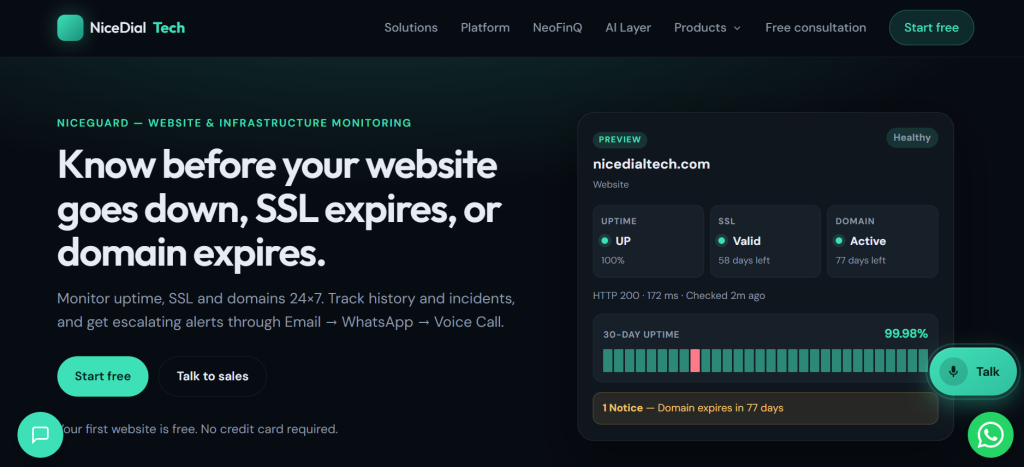
Website     ● UP

SSL         ● VALID
             58 days remaining

Domain      ● ACTIVE
             77 days remaining
The website is healthy.
The domain expiry date may still deserve attention, but it shouldn’t be treated as though the website has failed.
A useful monitoring platform should therefore distinguish between statuses such as:
Healthy → Notice → Warning → Critical
This makes it easier to understand what requires immediate action and what simply needs attention in the future.
Why Incident History Matters
Suppose your website went down at 2:15 AM and recovered at 2:27 AM.
By the time you log in at 9:00 AM, everything looks normal.
Without historical monitoring, you may never know the outage happened.
An incident history can instead show:
02:15 AM    Website DOWN
02:16 AM    Alert generated
02:17 AM    WhatsApp notification
02:27 AM    Website recovered

Incident duration: 12 minutes
This information can help technical teams investigate recurring problems and understand the actual reliability of their infrastructure.
Who Needs Website Uptime Monitoring?
Website monitoring isn’t only for large technology companies.
Small and Medium Businesses
If your website generates enquiries, customers, appointments or sales, downtime can directly affect your business.
E-commerce Businesses
An unavailable online store can mean abandoned purchases and lost revenue.
Hospitals and Clinics
Websites and patient-facing portals may support nicedial/">appointment booking, enquiries and access to important information.
Digital Marketing and Web Agencies
Agencies often manage dozens of customer websites.
Monitoring them centrally can help an agency discover problems before receiving a call from the client.
SaaS Companies
For SaaS companies, the application itself is often the product.
Monitoring websites, APIs and scheduled processes therefore becomes especially important.
Developers and IT Teams
Developers and administrators can use monitoring history to identify outages, performance degradation and recurring infrastructure problems.
WordPress Website Owners
WordPress websites can experience hosting problems, plugin issues, database failures, expired SSL certificates and configuration errors.
Automatic monitoring provides another layer of visibility.
How Often Should a Website Be Checked?
The appropriate frequency depends on how important the website or service is.
A business website might be checked every few minutes, while a critical API may require more frequent monitoring.
SSL certificates and domains don’t need to be checked at the same frequency as website uptime because their expiration dates don’t change every few minutes.
A monitoring platform should therefore use appropriate schedules for different types of checks rather than treating every monitor identically.
What Should You Look for in a Website Monitoring Solution?
When choosing a monitoring platform, consider whether it provides:
- Frequent uptime checks
- SSL certificate monitoring
- Domain expiry monitoring
- Response-time monitoring
- Incident history
- Uptime history
- Recovery notifications
- Multiple alert channels
- Clear severity levels
- Easy setup
- Monitoring for APIs and other infrastructure as your requirements grow
Most importantly, ask yourself:
If my website goes down tonight, how quickly will someone actually know?
That’s ultimately what monitoring is supposed to solve.
Introducing NiceGuard
NiceGuard by NiceDial Tech is a Website & Infrastructure Monitoring platform designed around a simple idea:
Know before your customers do.
NiceGuard helps monitor your website and critical online infrastructure while maintaining uptime, alert and incident history.
And when something requires attention, NiceGuard’s alerting approach goes beyond relying solely on email:
Email → WhatsApp → Voice Call
Because detecting a problem is useful.
Making sure someone knows about it is even more important.
Start Monitoring Your Website
Don’t wait for a customer, colleague, or friend to tell you that your website isn’t working.
🎁 Monitor your first website FREE
💳 No credit card required
Start with NiceGuard:
https://niceguard.nicedialtech.com/
NiceGuard by NiceDial Tech — Know before your customers do.